Your resume can say you’re hardworking, organized, and a great communicator all day long. Those things matter, sure. But when a hiring manager actually wants to know whether you can do the job, they’re usually looking for something more concrete: your technical skills.
These are the practical, job-specific abilities you use to get work done software knowledge, data analysis, programming, accounting systems, project management tools, design platforms, cybersecurity methods, or whatever technology is specific to your industry.
Knowing how to pick out the right ones and present them well can make a real difference in how relevant your resume looks to the job you actually want.
For job seekers, the practical takeaway is simple: don’t just list what you’ve done. Show the tools and technical abilities that actually support the work you want to do next.
What Are Technical Skills?
Technical skills are job-related abilities that let you use specific tools, systems, methods, or processes to complete a task. They’re usually measurable, and they’re typically built through education, training, certifications, coursework, practice or hands-on work experience.
For example:
- A financial analyst may use Excel and financial modeling.
- A software developer may use Python, Java, Git, or SQL.
- A marketing professional may use Google Analytics, CRM software, and advertising platforms.
- An HR professional may use HRIS platforms and workforce analytics tools.
- A project manager may use Jira, Microsoft Project, or other project management systems.
- A graphic designer may use Adobe Photoshop, Illustrator, or Figma.
O*NET OnLine — a U.S. Department of Labor-sponsored occupational database lets you explore occupations through the skills, software, tasks, and knowledge tied to them, and its technology skills search specifically links software and tools to the jobs that actually use them. It’s a genuinely solid starting point when you’re trying to figure out which skills actually matter for a given occupation.
Why Technical Skills Genuinely Matter on a Resume?
Recruiters and hiring managers want real evidence that you can handle the practical demands of the job, not just a vibe that you’re generally competent.
Say an employer is hiring an operations analyst, and the posting asks for advanced Excel, data reporting, SQL, dashboard development, and process analysis. Compare two ways of saying you fit the bill.
Version A: “Strong computer skills and attention to detail.”
Version B: “Built Excel dashboards and SQL reports to track operational performance and identify process bottlenecks.”
Version B actually hands the employer something concrete to evaluate. That’s exactly why your technical skills section should be specific and relevant, not padded with vague phrases like “computer savvy” or “technology skills.” The goal was never to list every piece of software you’ve ever opene it’s to show the skills that genuinely support your case for this specific role.
Technical Skills Examples Across Different Fields
There’s no single universal list here; the right skills depend entirely on the occupation and the employer. A few useful examples by field:
Technology and IT
- Python
- Java
- SQL
- Cloud computing
- Network administration
- Cybersecurity
- Database management
- Git
- Linux
- System administration
Business and Finance
- Microsoft Excel
- Financial modeling
- QuickBooks
- Data analysis
- Budget forecasting
- Power BI
- Tableau
- ERP systems
- Financial reporting
Marketing
- Google Analytics
- Search engine optimization
- CRM platforms
- Email marketing platforms
- Marketing automation
- Google Ads
- Content management systems
- Conversion tracking
Project Management
- Microsoft Project
- Jira
- Asana
- Smartsheet
- Agile methods
- Scrum
- Project scheduling
- Risk tracking
Design and Creative Work
- Adobe Photoshop
- Illustrator
- InDesign
- Figma
- UX research
- Wireframing
- Video editing
- Prototyping
Healthcare
- Electronic health record systems
- Medical coding
- Clinical documentation
- Healthcare data analysis
- Medical terminology
- Laboratory systems
The important thing to remember: a skill only becomes genuinely valuable on a resume once it’s actually relevant to the work you’re targeting.
Choosing Which Technical Skills to Put on Your Resume?
One of the easiest mistakes to make here is trying to list everything. If you’ve touched Word, Excel, PowerPoint, Salesforce, Canva, Slack, Zoom, Asana, HubSpot, Google Analytics, and Photoshop, it’s tempting to just throw the whole list on the page.
Resist that urge. Read the job posting carefully instead, and look for skills that are explicitly listed as required, mentioned more than once, tied to major job responsibilities, relevant to your recent work, or backed up by examples elsewhere on your resume. Then prioritize those.
If you’re applying for a digital marketing manager role and the posting keeps circling back to HubSpot, Google Analytics, SEO, and paid advertising, those deserve real estate on your resume far more than that one design program you used once, three jobs ago. Your resume should reflect the role you actually want, not a museum tour of your entire relationship with technology.
Technical Skills on a Resume for Freshers: What Actually Belongs There?
Students and recent grads often ask what should go on a resume when they don’t have much professional history behind them yet.
The good news: technical skills for a resume with limited experience usually come from coursework, internships, academic projects, certifications, volunteer work, or personal side projects; you don’t need years of employment to prove real technical capability.
A recent grad applying for an entry-level data analyst role might list Microsoft Excel, SQL, Python, Tableau, data visualization, and statistical analysis. But the stronger move is connecting those skills to actual evidence. Instead of just writing “SQL,” try something like: “Used SQL to clean and analyze a class project dataset containing more than 10,000 records.” That single sentence gives the skill actual context.
A student who built a website can mention exactly which tools they used. Someone who built a financial model can describe the software and the outcome. Someone who finished a cybersecurity lab can explain what technologies they actually practiced with. When professional experience is thin, projects can genuinely carry the evidentiary weight instead.
Technical Skills vs. Soft Skills
A common resume question is whether technical skills are more important than soft skills. They serve different purposes.
Technical skills: Show what you can practically do.
Soft skill: Describe how you work with people and situations.
For example:
Technical: SQL, Excel, Python
Soft: Communication, collaboration, adaptability
A data analyst may need SQL to work with databases. They may also need communication skills to explain findings to non-technical managers.
Modern employers increasingly need a combination of both. The World Economic Forum’s 2025 research identifies technological skills as the fastest-growing skill category while also highlighting creative thinking, resilience, flexibility, leadership, analytical thinking, and lifelong learning.
So your resume should not treat technical ability and human skills as competing categories. In many careers, they complement each other.
Turning Technical Skills Into Real Accomplishments
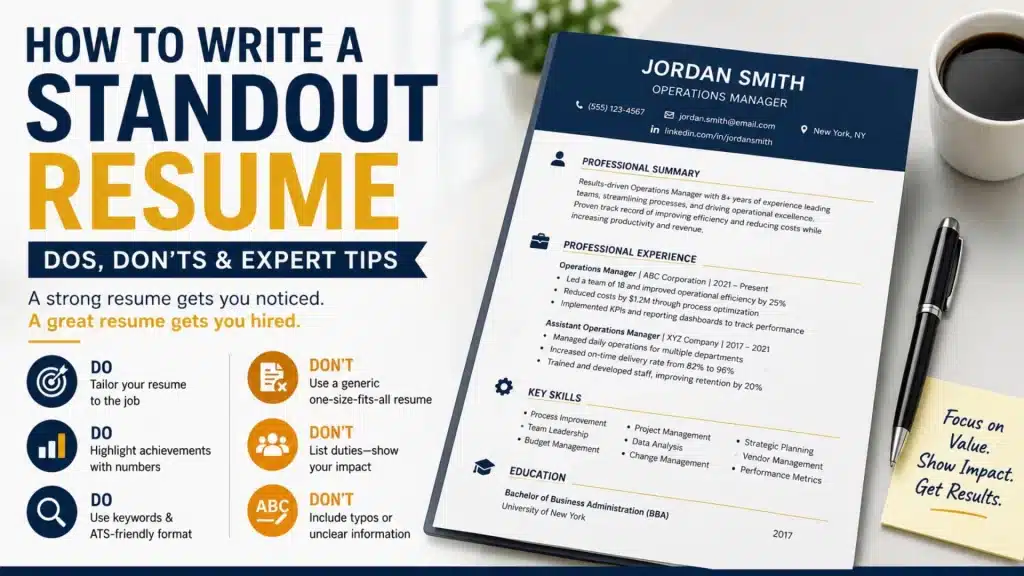
A long skills list tells an employer what you know. An accomplishment tells them what you did with that knowledge. Compare:
Microsoft Excel, Power BI, Data Analysis
with:
Built Power BI dashboards and automated Excel reporting that reduced weekly reporting work by several hours.
The second version is stronger because it connects the tools with actual work. A useful formula is:
Technical skill + action + business or project result
For example:
Used SQL to analyze customer data and identify purchasing patterns.
Or:
Created automated Excel reports to improve monthly financial tracking.
Or:
Managed Jira workflows for a cross-functional product development team.
These statements provide evidence rather than simply making claims.
How to Match Your Technical Skills to the Job Posting?
Before submitting your resume, compare it against the job description. Create a simple table:
| Job Requirement | Your Evidence |
| Advanced Excel | Built financial reporting models |
| Salesforce | Managed CRM records and sales reports |
| Data analysis | Analyzed monthly customer data |
| Power BI | Created management dashboards |
This exercise helps you identify gaps. It can also reveal transferable skills. This exercise is great for spotting gaps but it can also surface transferable skills you hadn’t thought to highlight.
Someone moving from operations into business analytics, for example, probably already has real experience with Excel, reporting, process analysis, and performance metrics, even if their old job title looked nothing like “analyst.” Career transitions often get a lot easier once you focus on the skills that actually transfer rather than fixating on job titles alone.
Do Technical Skills Need to Be Certified?
Not always. Plenty of technical skills can be demonstrated purely through experience and real project work.
That said, certifications genuinely matter in certain fields where employers expect specific credentials: cloud certifications, cybersecurity certifications, project management certifications, accounting credentials, and various industry-specific technical certs, to name a few.
The key here is relevance. Don’t collect certifications purely to pad your resume out, ask whether the credential is actually recognized in your target field, and whether employers in that field mention it in their postings. For regulated occupations especially, licensing or certification requirements can be strict and genuinely mandatory rather than optional.
What the Current U.S. Job Market Actually Shows?
Technology skills matter across a huge range of occupations, but demand isn’t uniform everywhere. The Bureau of Labor Statistics projects computer systems analyst employment to grow from 2025 to 2035, compared to 3% for all occupations combined, with roughly 32,900 openings projected per year in that field.
At the same time, not every tech-adjacent role is growing. BLS projects overall employment for computer support specialists to actually decline 3% over that same window even while still projecting around 48,700 openings a year, largely because workers leave the role or move into other jobs.
The practical lesson: don’t assume tossing random tech keywords onto your resume makes it more competitive. Focus specifically on the technical abilities that are relevant to your occupation and the exact position you’re going after.
Where Career Coaching Fits Into Presenting Your Skills?
Having valuable skills is one thing. Actually communicating them clearly to an employer is a different skill entirely.
Resume and LinkedIn optimization through Job Change Now focuses on helping professionals present their achievements, skills, and career potential in a way that’s genuinely relevant to employers covering resume development, personal branding, recruiter engagement, and career transition support. Their broader professional development approach centers on building a clear value identity, rather than leaning purely on job titles or years of tenure.
That’s especially useful if your technical background is genuinely strong but your resume just isn’t showing how those skills actually created value. For anyone changing industries, career transition coaching can also help pin down which skills are transferable and reposition existing experience for a different kind of role.
Mistakes to Avoid When Listing Technical Skills
- Listing absolutely everything: A 30-item skills list is exhausting to read and dilutes what actually matters. Prioritize relevance over volume.
- Using vague terms: “Computer skills” tells an employer almost nothing. Name the actual software, platform, or technical ability.
- Claiming skills you can’t actually discuss: Don’t add a technology just because you spotted it in a posting. If an interviewer asks you about it, you need to be able to explain how you’ve genuinely used it.
- Ignoring your experience section: Your skills list should be backed up by your actual work history. Claiming advanced Excel skills without ever showing how you used Excel makes the claim a lot less convincing.
- Never updating the list: Technology moves fast, and the World Economic Forum expects tech-related skills to keep rising in importance through 2030 particularly AI and big data, cybersecurity, and general technological literacy. Review your skills every few months and drop the tools that no longer matter for the roles you’re targeting.
A Simple Way to Organize Your Skills Section
A clean resume can group skills by category, something like:
Technical Skills
- Data & Analytics: Excel, SQL, Power BI, Tableau
- Project Management: Jira, Asana, Agile, Scrum
- CRM & Marketing: Salesforce, HubSpot, Google Analytics
- Productivity: Microsoft 365, Google Workspace
Then bring your most important skills to life within your experience section something like: “Used SQL and Power BI to analyze customer data and create monthly performance dashboards for senior management.” This gives recruiters both the keyword they’re scanning for and the actual evidence behind it.
Bringing It Together
Your technical skills are more than a row of keywords on a resume. They’re evidence of what you can genuinely do.
The strongest resumes connect a technical ability to a real task, project, or result instead of simply claiming you know Excel, SQL, Salesforce, or Python, show exactly how you used it.
Start by reading through the job descriptions for the roles you actually want. Identify the most important technical requirements, hold them up against your current abilities, and update your resume so the relevant skills are easy to spot and backed by real examples.
For students and recent grads, remember that projects and education can absolutely demonstrate real technical ability, even when professional experience is thin. For experienced professionals, focusing on impact shows how your technical knowledge helped save time, improve a process, analyze information, serve customers, reduce errors, support revenue, or solve a genuine business problem.
Your goal was never to master every new tool that comes along. It’s to build the technical skills that genuinely matter for the career you actually want, and communicate them clearly to the people making the hiring decisions. That’s where a strong resume turns real skills into real opportunities.
Frequently Asked Questions
What are technical skills?
Practical, job-related abilities used to perform specific tasks software, programming languages, data analysis, accounting systems, design tools, technical processes, or specialized industry knowledge.
What technical skills should I actually put on my resume?
Pick ones that are genuinely relevant to your target job and backed up by your experience, education, projects, or certifications. Review the job posting first, then prioritize whatever requirements matter most.
What are some common technical skills examples?
Excel, SQL, Python, Java, data analysis, cybersecurity, Salesforce, Power BI, project management software, CAD, Adobe Creative Cloud, and electronic health record systems, among plenty of others.
What should freshers include for technical skills on a resume?
Skills gained through coursework, internships, academic projects, certifications, volunteer work, or personal projects with context wherever possible so an employer can see how the skill was actually used.
How many technical skills should be on a resume?
There’s no magic number. A focused, relevant list beats an exhaustive one every time — include what actually matters for the role, and let your experience or projects demonstrate the most important ones.
Also Read: How to Negotiate Salary